
Last Updated on August 20, 2026 by Mat Diekhake
There is a way people can root the Verizon Samsung Galaxy Note 4 smartphone now, and it is the official way that most Android enthusiasts love the most. When it comes to rooting the Android OS, the one‑click rooting method is usually for beginners, while the people who know Android down to the deepest level are often wanting to unlock the bootloader, install a custom recovery image and then get root access by flashing a version of Chainfire’s SuperSU. The Verizon Galaxy Note 4 wasn’t easy to root, but now that it does have a method available, people should be reveling in the news that root access comes in the most traditional form.
If you have not yet unlocked the bootloader or installed a custom recovery, then we suggest having a read of those articles so you know what you are getting into because some security changes happen to the system after you do those things—most notably, the encryption is gone when you unlock the bootloader. Once everyone who is reading this post has come to the conclusion that they do not care for encryption on the smartphone at this time, they can start to think about the upside they get after rooting the Android operating system. Rooting means becoming the root user or having access to the root user account, which is always there underneath the Android operating system and embedded into the Linux kernel, but taken away for security when selling an operating system to a mass audience.
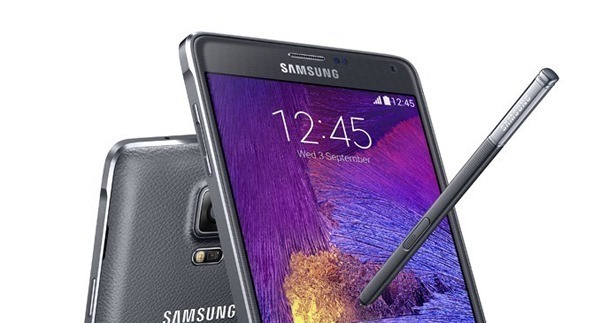
People who are into developing Android are usually interested in unlocking the bootloader and installing a custom recovery so they can go on and install a custom ROM or custom kernel. Since Android is built on open source software, people who know what they are doing can create their unique version of Android that includes their features and ideas for design, then distribute those ROMs in the form of ZIP files for people to upload and install from the custom recovery partition.
Individuals who are into rooting the Android operating system are often a little bit different in the sense that they prefer heading over to the Google Play Store and installing apps. There are applications out there for root users like the Titanium Backup app that is amazing for people to use. Titanium should replace your current backup app immediately as soon as you have root access because you get to enjoy the option of freezing or completely uninstalling any apps that you do not use. By doing so, you are creating more free memory space which allows your hardware on the device to breathe easy and the battery lasts noticeably longer too.
Required Downloads & Prerequisites
- You need to install a custom recovery image on the Samsung Galaxy Note 4 by Verizon before you can root the same device using the steps below in this guide.
- Download the SuperSU package to the computer.
Note: Our guide uses Team Win’s TWRP Recovery as the custom recovery you need before rooting. You can flash the rooting package with other custom recoveries, but TWRP is the best option for the Galaxy Note 4 in our opinion, which is why we recommend it. You’re free to use a different custom recovery if you prefer — our search box may show alternatives, or you can check Google for more options. ClockworkMod Recovery is another choice, although it is no longer actively developed.
Rooting the Verizon Samsung Galaxy Note 4 smartphone running on the Android 6.0.1 Marshmallow software updates
- Open the downloads folder on the Windows computer if you are using Windows and you will see the SuperSU download is available there.
- Connect the Verizon Samsung Galaxy Note 4 phone to the computer with the USB cable that you usually use to charge the battery pack on the device.
- Copy the SuperSU zip file from the downloads folder to the internal storage SD card folder available for the Note 4 phone.
- Unplug the Verizon Galaxy Note 4 phone from the computer once you have copied the SuperSU zip file.
- Boot the Verizon Note 4 into the recovery mode by holding down the hardware button combination for the stock recovery mode and the custom recovery partition now boots up since you installed it over the stock version already.
- Tap on the Backup button and take the full NANDroid Backup if you have not backed up, or just tap on the buttons that say Install and then follow the guidelines to browse the SD card for the SuperSU file and proceed to install it.
- Choose the option to reboot the system once the SuperSU is installed and it reboots back into the normal mode.
That is how to root the Verizon Samsung Galaxy Note 4 on Android 6.0.1 Marshmallow by flashing the systemless SuperSU package. This systemless version no longer needs access to the system partition, resulting in a cleaner rooting method. It also allows you to fully unroot the device by entering recovery mode and performing a factory reset instead of flashing a stock ROM with Odin.
Once you have rooted the Android operating system, you can install any app that previously required root permissions. Apps like Titanium Backup or ROM Manager will now run normally because the root user has full access. Most root apps are available from the Google Play Store, but others—such as ROM Toolbox or Xposed Framework—are found online. If you are unsure where to start, check out our list of the best root apps for Android and search for the names in the Play Store.
October 9, 2017 @ 18:09
I hereby Confirm this method does not work on N910V 6.0.1. Do not waste your time
October 31, 2016 @ 16:25
IN MY N910V .. ERROR FAILED TO VERIFY SIGNATURE FILE.. WHATS HAPPENED