
Last Updated on August 23, 2026 by Mat Diekhake
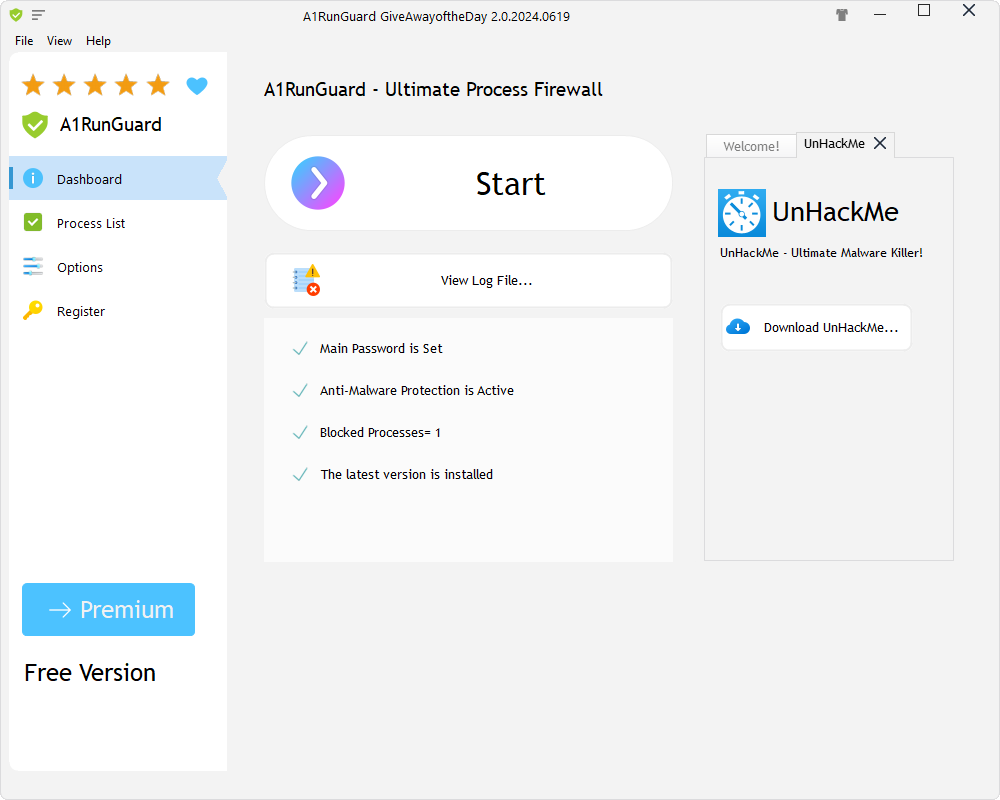 A1RunGuard Premium 2.0.2024.619 is an unwanted program blocker that works by preventing suspicious scripts, files, etc from ever running on your computer. You can also set filters to help select which programs you want to allow to run. In general, I struggled a bit with the English used on the interface which prevented me from easily understanding what the features were doing exactly. Moreover, I don’t know how much I would trust the tool to do things like monitor for ransomware threats. On the other hand, the app did have charm and I am at least intrigued by the offerings.
WHAT IT IS
A1RunGuard Premium 2.0.2024.619 blocks unwanted programs and protects from ransomware. Moreover, you can use it to password-protect executable files. It refers to itself as an ultimate process firewall for Windows, which might be the simplest way to think about it.
DISCUSSION
The A1RunGuard Premium 2.0.2024.619 interface opens with the dashboard displayed by default. On the dashboard was a large Start button that navigated to the Process List section. This section could also be selected from the left-hand menu, so it seems the main reason for the dashboard existing isn’t the large Start button, but rather the other features available on it, including the option to view the log file.
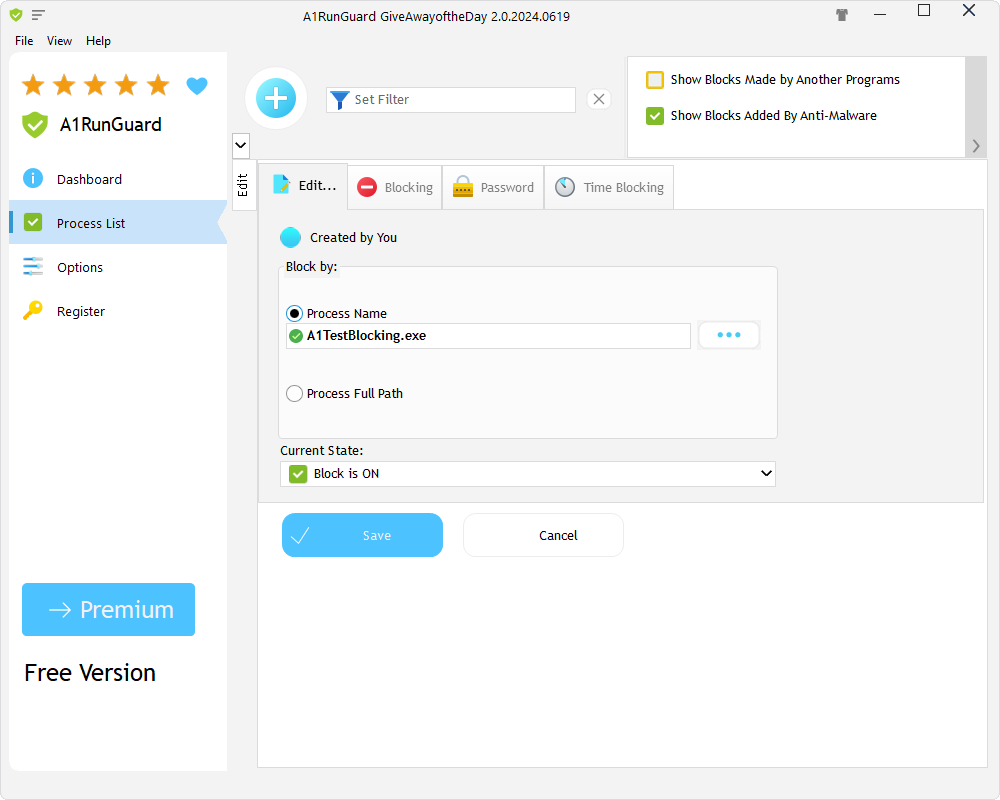
The Process List section had numerous tabs: Edit, Blocking, Password, and Time Blocking. If we go back to the product description, these tabs generally correspond to the features we knew we could find. So, if I understand correctly, each tab serves a different purpose described in the product information.
For instance, the Password tab is where I could set passwords to password-protect executable files. That is all well and good, but what does “password-protecting” files mean, exactly? My initial understanding was that it worked somewhat like encrypting a file, so that if someone else uses the computer and tries to open the protected executable, it won’t run unless they have the password. If that is the intended functionality, it could be particularly useful for people who share PCs or want to restrict access to specific programs.
Is this tool suggesting that I can manage passwords for executable files on my computer? Presumably, yes, but the interface did not make this completely clear to me. More generally, I struggled to understand some of the features and am not sure I fully understood how the password protection section worked either.
In my opinion, the app is in need of further explanation, particularly for users who are encountering these features for the first time. Clearer descriptions or step-by-step guidance would make it easier to understand what each option does and how it should be used.
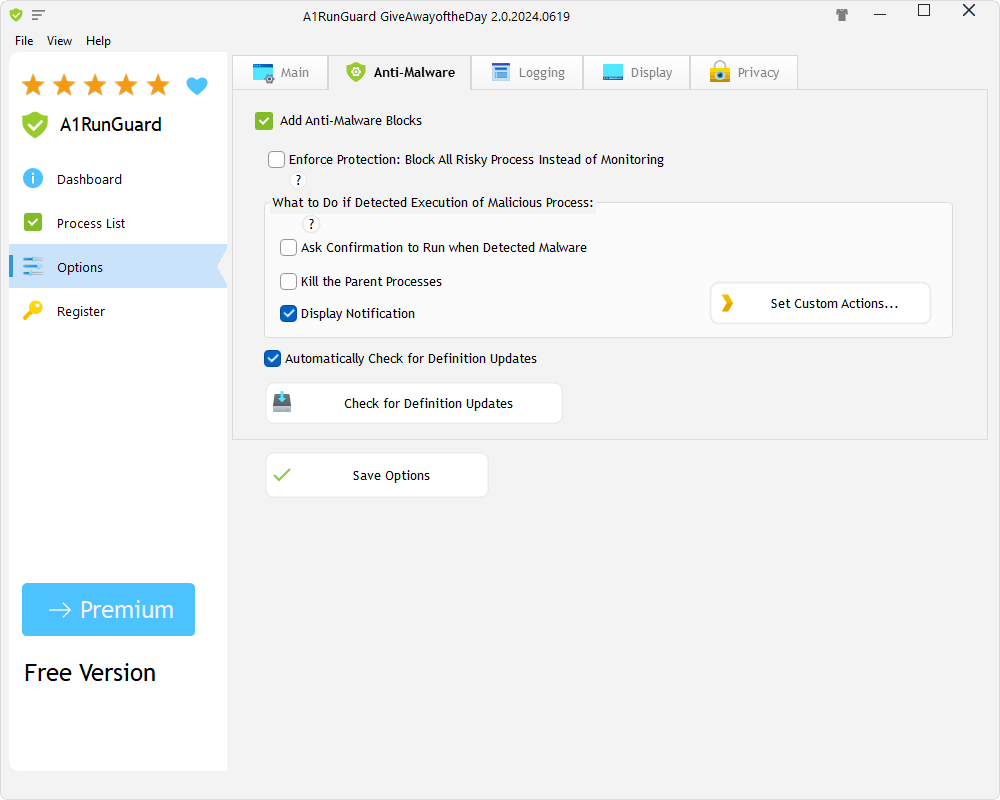
Here are the screenshots:
CONCLUSION AND DOWNLOAD LINK
As a Microsoft Windows professional who has spent many hours working with software, I found that A1RunGuard Premium’s interface took some time to understand. Could it be laid out better? Could it be simplified further? Perhaps. I have been around many smart people who produce good things that I don’t immediately grasp, and A1RunGuard Premium gives me those vibes. The software appears to have a clear purpose, but I found that some of its functionality could be explained more clearly to help users understand how to get the most from it.
I understood the gist of things: set passwords, restrict access, add exclusions, etc. However, I could not work out how I, as a potential administrator of a system, would actually administer the program. Perhaps some step-by-step instructions are in order to help solve this rather than an interface change of sorts.
I know people who would love the idea of a reliable, dedicated ransomware protection tool, but I don’t know anyone who would immediately understand how to use A1RunGuard Premium given its current interface in version 2.0.2024.619. My experience was that the software’s core purpose was clear, but I found the administration and setup process difficult to follow without additional guidance.
I look forward to reviewing it again in the future and seeing what else it has done.
- Price: $29.95
- Version reviewed: A1RunGuard Premium 2.0.2024.619
- System requirements: Windows 7/ 8/ 10/ 11 (x32/x64)
- Download size: 18.9 MB
- Website: greatis.com/a1runguard/